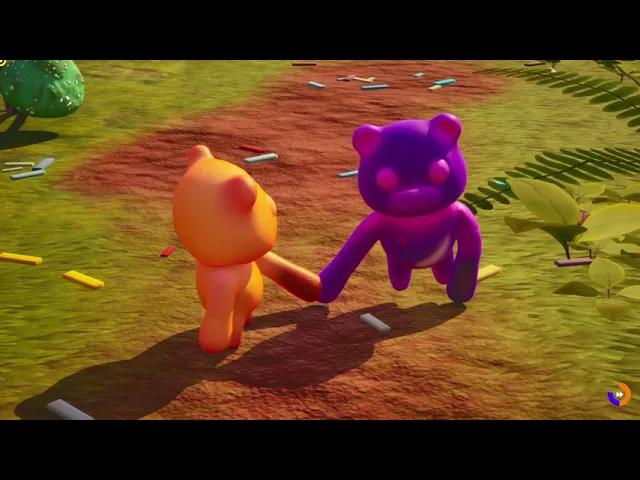
Gummates
Gummates
Stretching Arms
Stretching Arms
Procedural Controls
Procedural Controls
Physical Animation
Physical Animation
Procedural Animation
Procedural Animation
Animation Dynamics in CR
Animation Dynamics in CR
2D Facial Animation
2D Facial Animation
Animation Template Blueprint
Animation Template Blueprint
Linked Animation
Linked Animation
The snake stands up with an Ik effector from the root bone in the head to the joint 3, leaving the rest of the body unaffected by the root movements
Stretching Arms
Stretching Arms
Stretching Arms
The arms can stretch evenly while using a CCDIK solver
The arms can stretch evenly while using a CCDIK solver
Every bone in the arm changes it's scale values on the Y axis
Every bone in the arm changes it's scale values on the Y axis
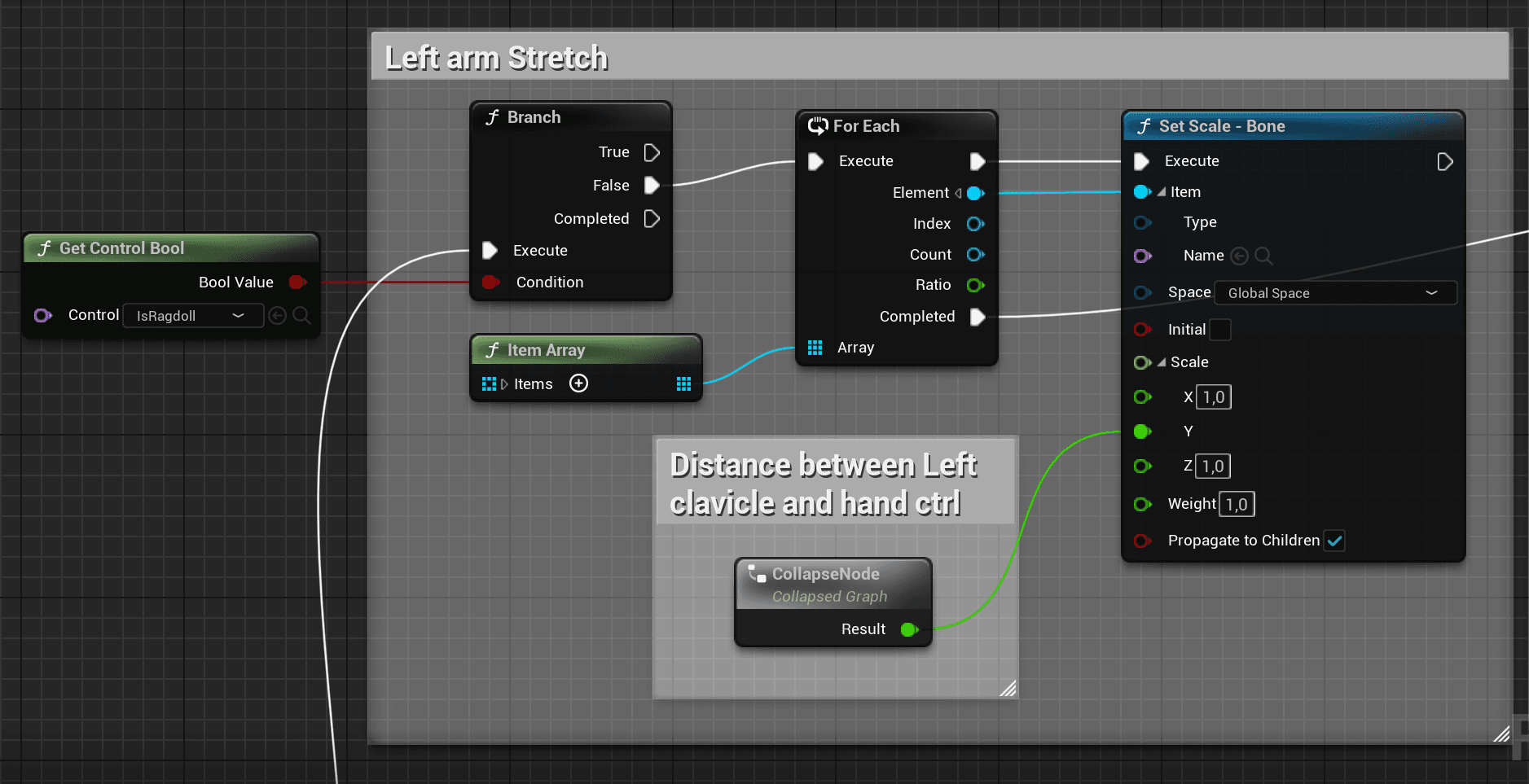
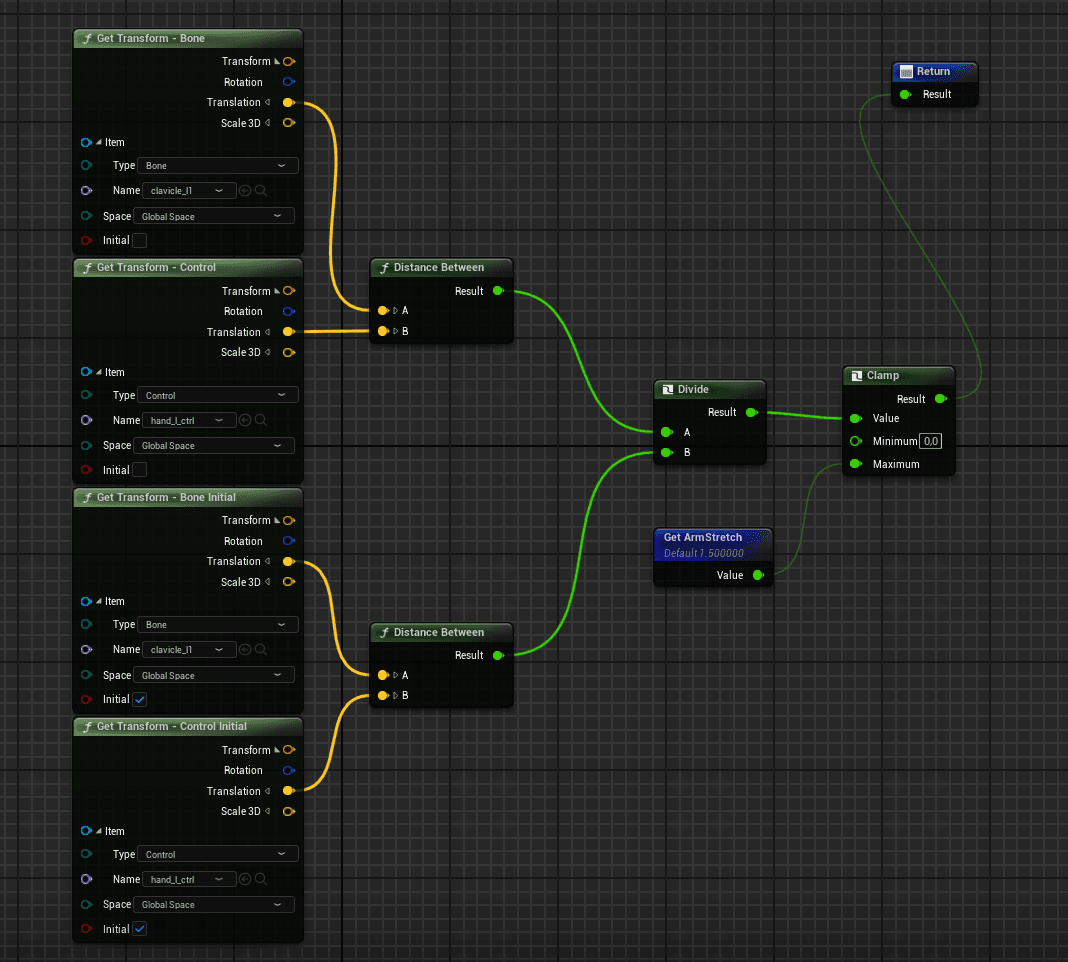
This values are calculated with the difference of the initial to the current distance between the first and last bone of the CCDIK chain
This values are calculated with the difference of the initial to the current distance between the first and last bone of the CCDIK chain
Procedural Controls
Procedural Controls
Procedural Controls
For general props and some characters with legs, I made a Control rig that adjusts to any simple rig
The size of the controlers can be changed anytime in the secuencer
For general props and some characters with legs, I made a Control rig that adjusts to any simple rig
The size of the controlers can be changed anytime in the secuencer
It also supports simple Ik for characters with legs
It also supports simple Ik for characters with legs
The Snake has a sliding mode, where the mouse inputs makes it turn and look up or down
Physical Animation
Physical Animation
Physical
Animation
The head and ears are always simulating physics
The head and ears are always simulating physics
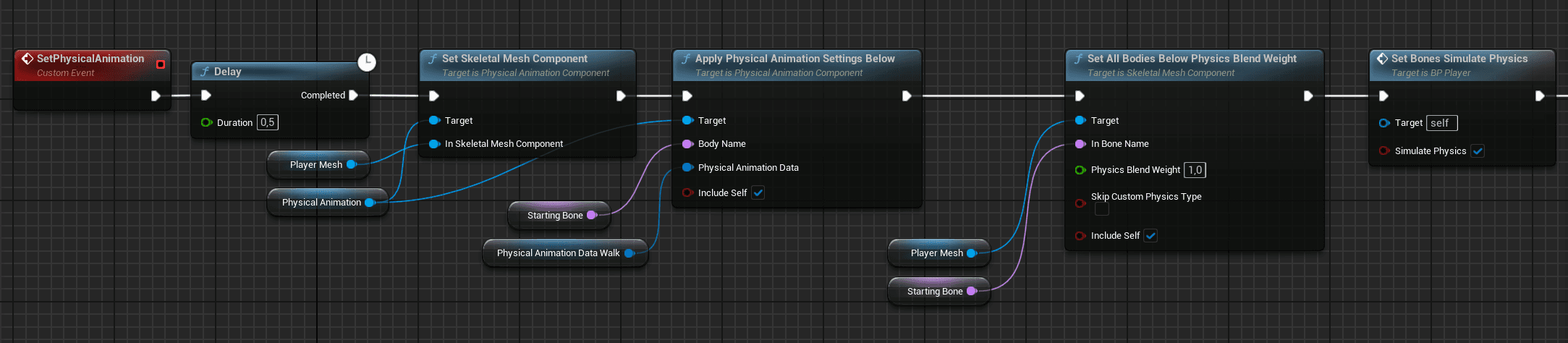
A physical animation component is added to the blueprint, then, the settings and desired bones are set
A physical animation component is added to the blueprint, then, the settings and desired bones are set
Ragdoll
Ragdoll
Ragdoll
THE PROBLEM
THE PROBLEM
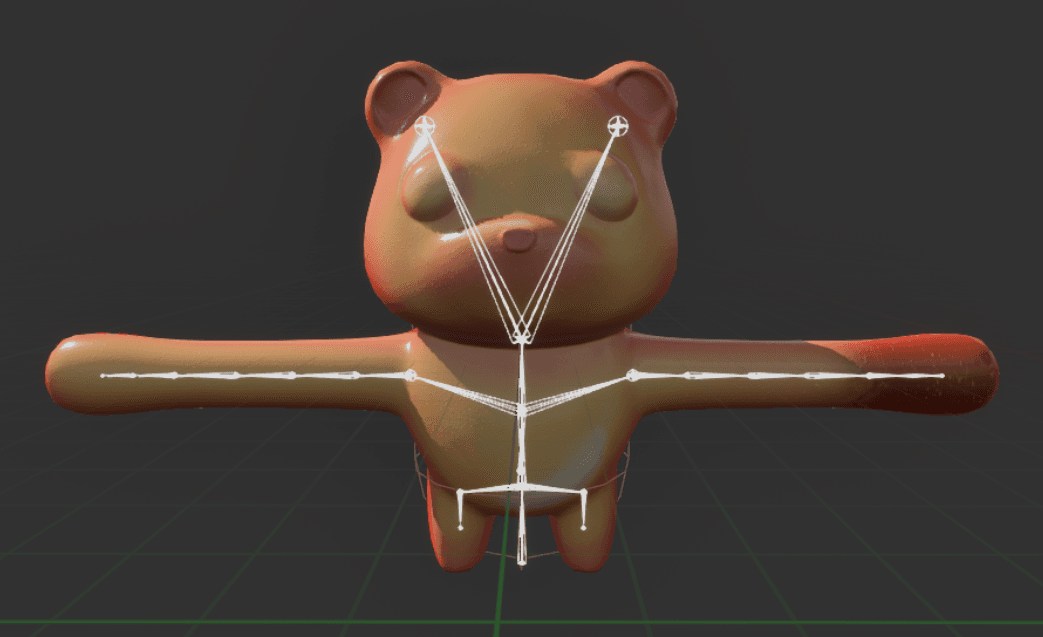
When going to ragdoll, the arm should still be kinematic to stay attached to the other
player, but while doing so, the clavicle separates from the ragdoll because it's still
following the control rig
When going to ragdoll, the arm
should still be kinematic
to stay attached to the other player,
but while doing so, the clavicle separates from
the ragdoll because it's still
following the control rig
(The white skeleton always represents the Control Rig component)
(The white skeleton always represents the
Control Rig component)
THE SOLUTION
THE SOLUTION
new bones are created for each clavicle and are not affected by the control rig
new bones are created for each clavicle and
are not affected by the control rig
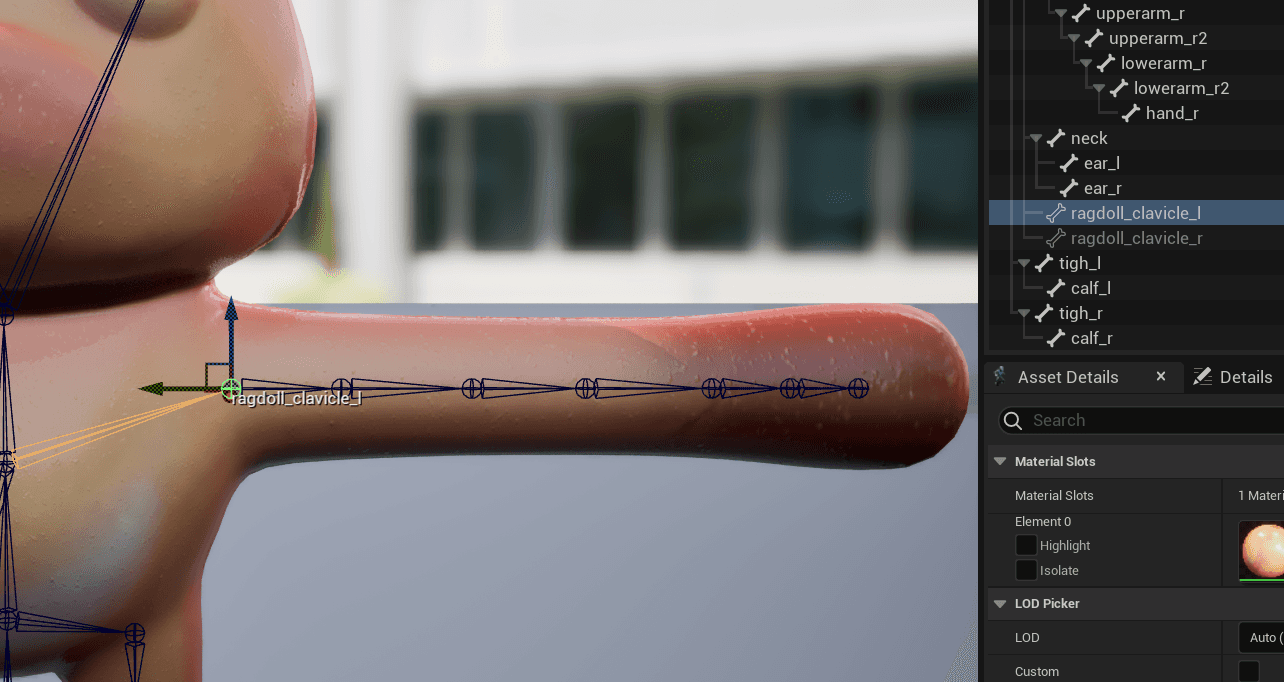
The transforms of the bones are sent to the control rig via "Set Control"
The transforms of the bones are sent to
the control rig via "Set Control"
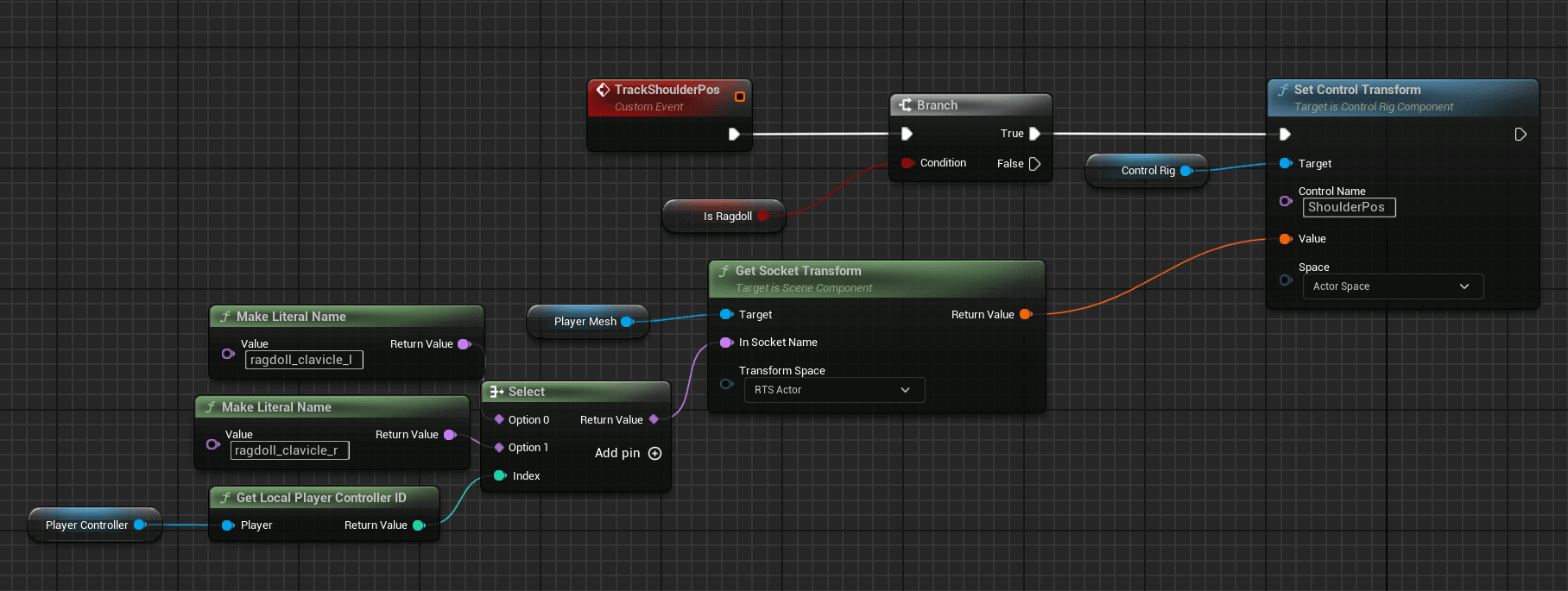
Depending on wich player is using the Control Rig component, will send either
the transform of the left or right clavicle
Depending on wich player is using the
Control Rig component, will send either
the transform of the left or right clavicle
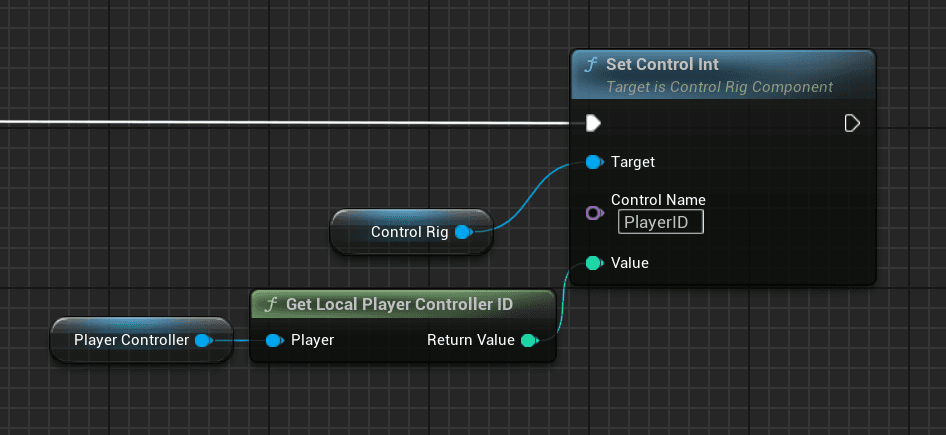
In the Control Rig, the transforms of the clavicles are set
In the Control Rig,
the transforms of the clavicles are set
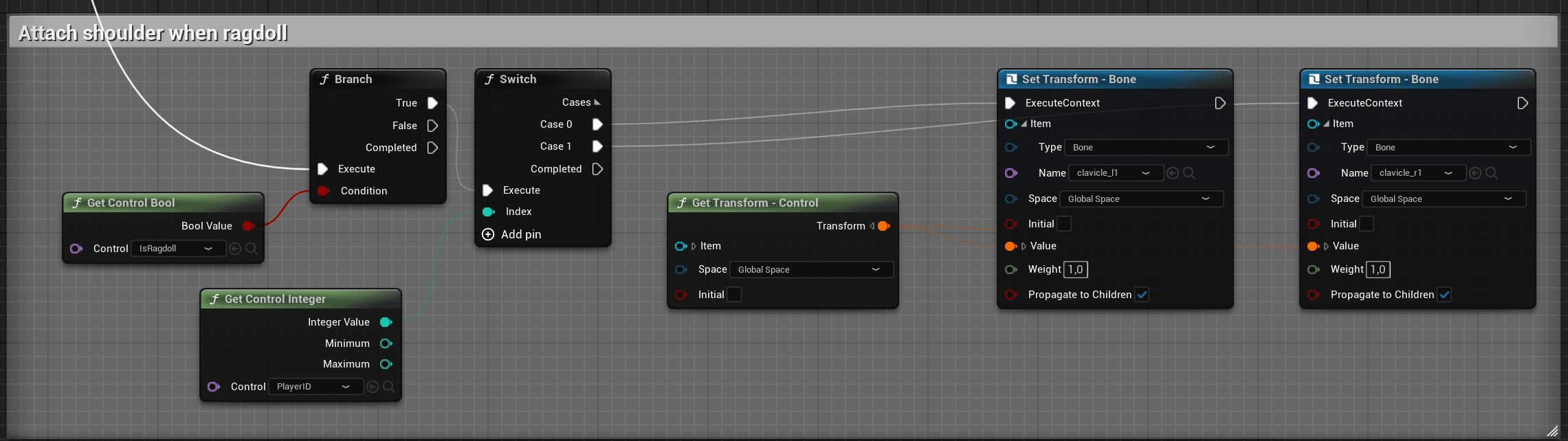
The position of the "ragdoll_clavicle_l" is represented by the white dot in the Control Rig
The position of the "ragdoll_clavicle_l"
is represented by the white dot in the Control Rig
Procedural Animation
Procedural Animation
Procedural Animation
Walking animation
Walking animation
There are 3 variables to adjust in the animation:
Jump Movement Strenght
Sideways Movement Strenght
Legs Movement Strenght
There are 3 variables to adjust in the animation:
Jump Movement Strenght
Sideways Movement Strenght
Legs Movement Strenght
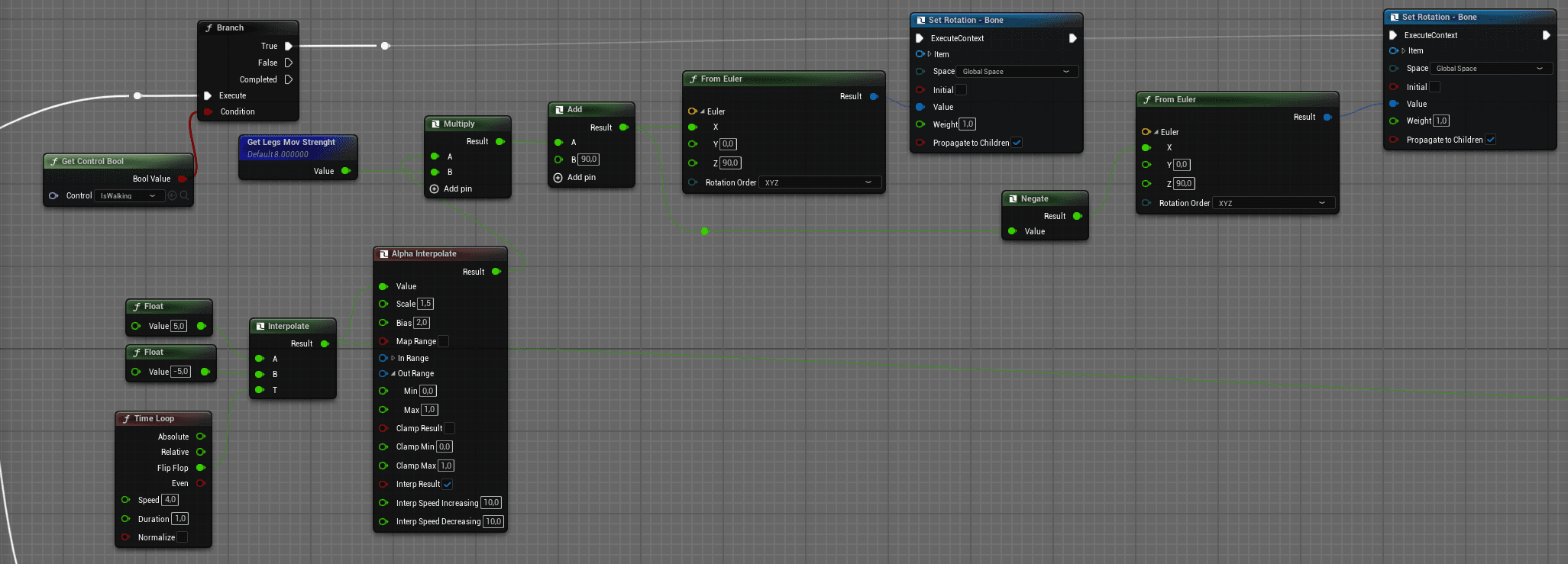
The movement of the legs interpolates on the X axis between 2 clamped values
The movement of the legs interpolates on
the X axis between 2 clamped values
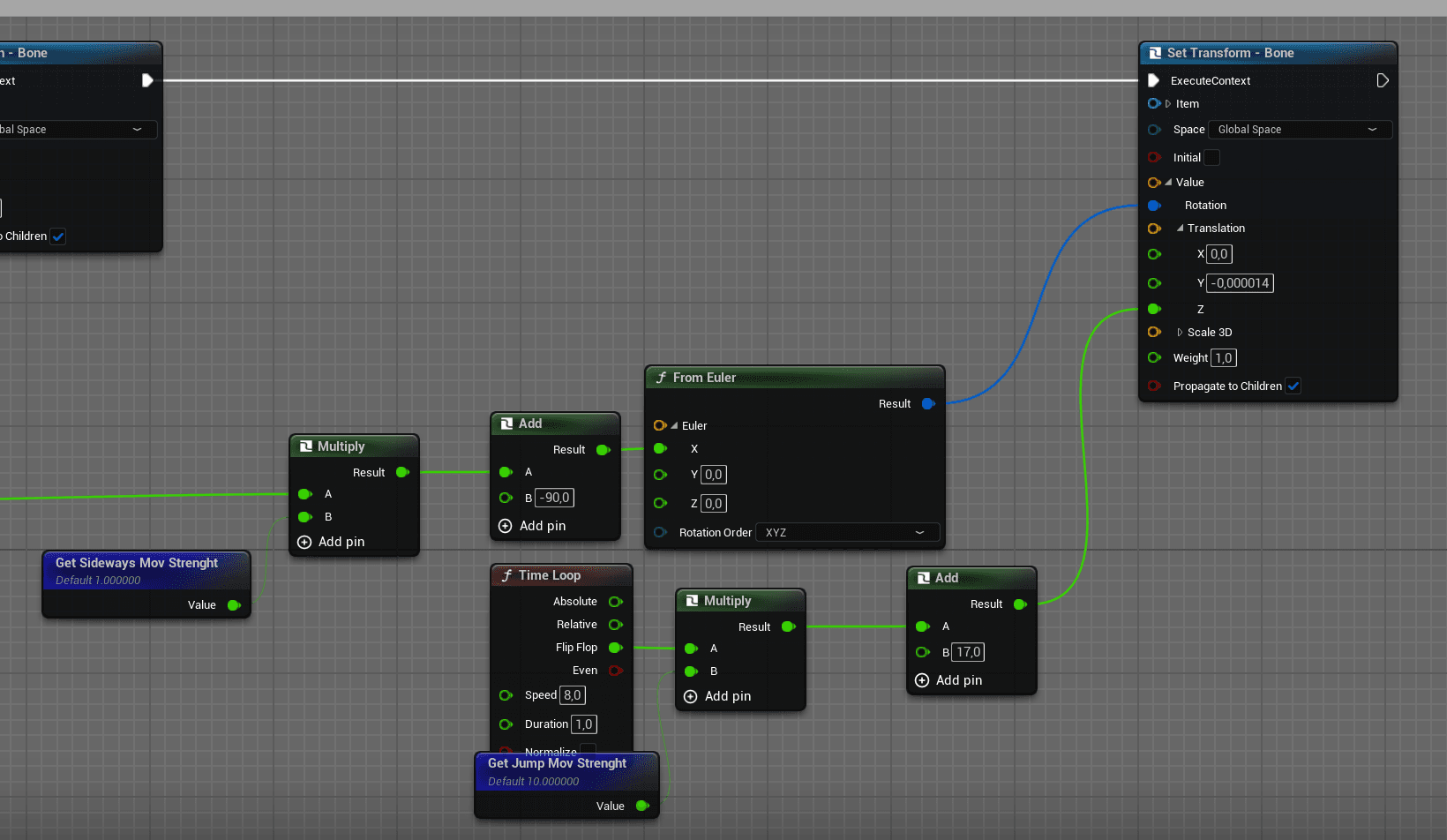
The movement of the hips uses the same logic plus a movement on
Z to jump a little while walking
The movement of the hips uses
the same logic plus a movement on
Z to jump a little while walking
Animation Dynamics in Control Rig
Animation Dynamics in Control Rig
Animation Dynamics in
Control Rig
Ears and Head
Ears and Head
Belly
Belly
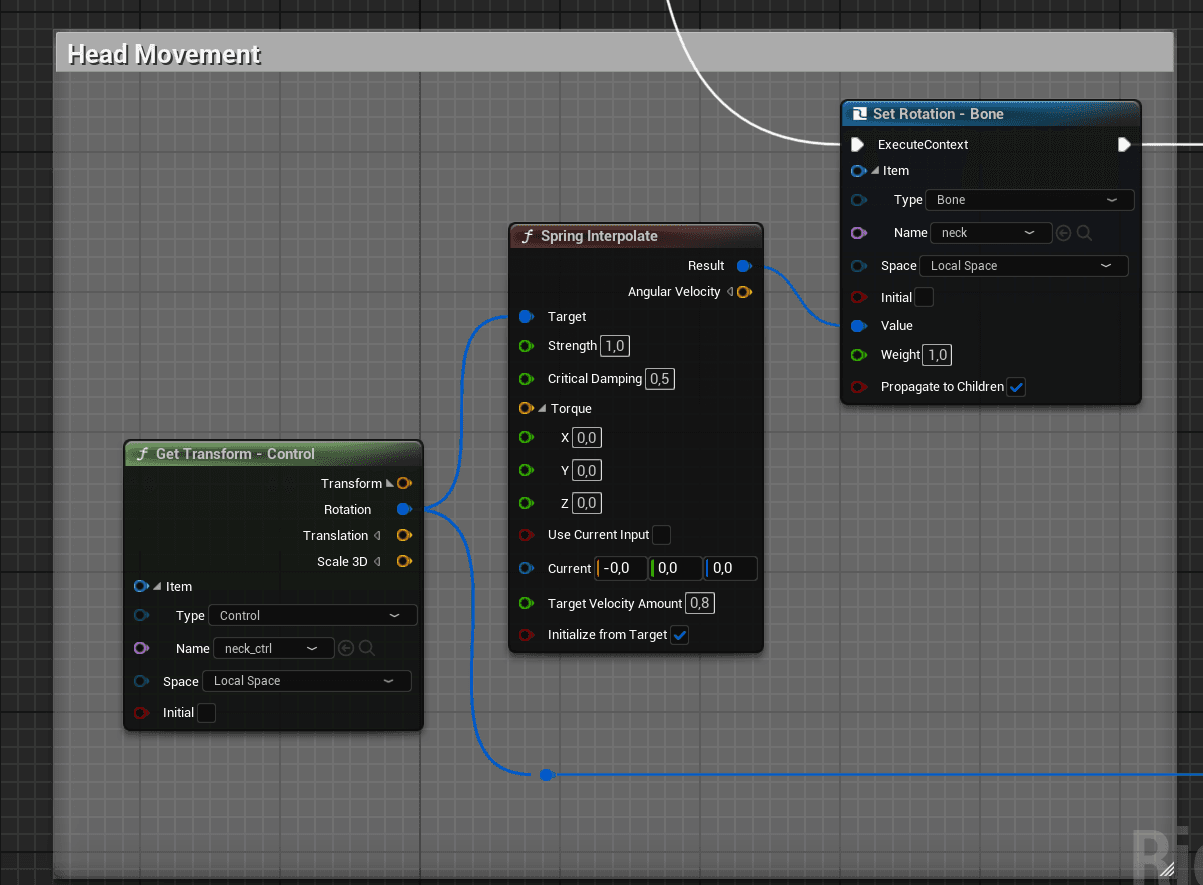
The head moves with a spring controller following the values of the "neck_ctrl"
with delay and spring motion
The head moves with a spring
controller following the values of the "neck_ctrl"
with delay and spring motion
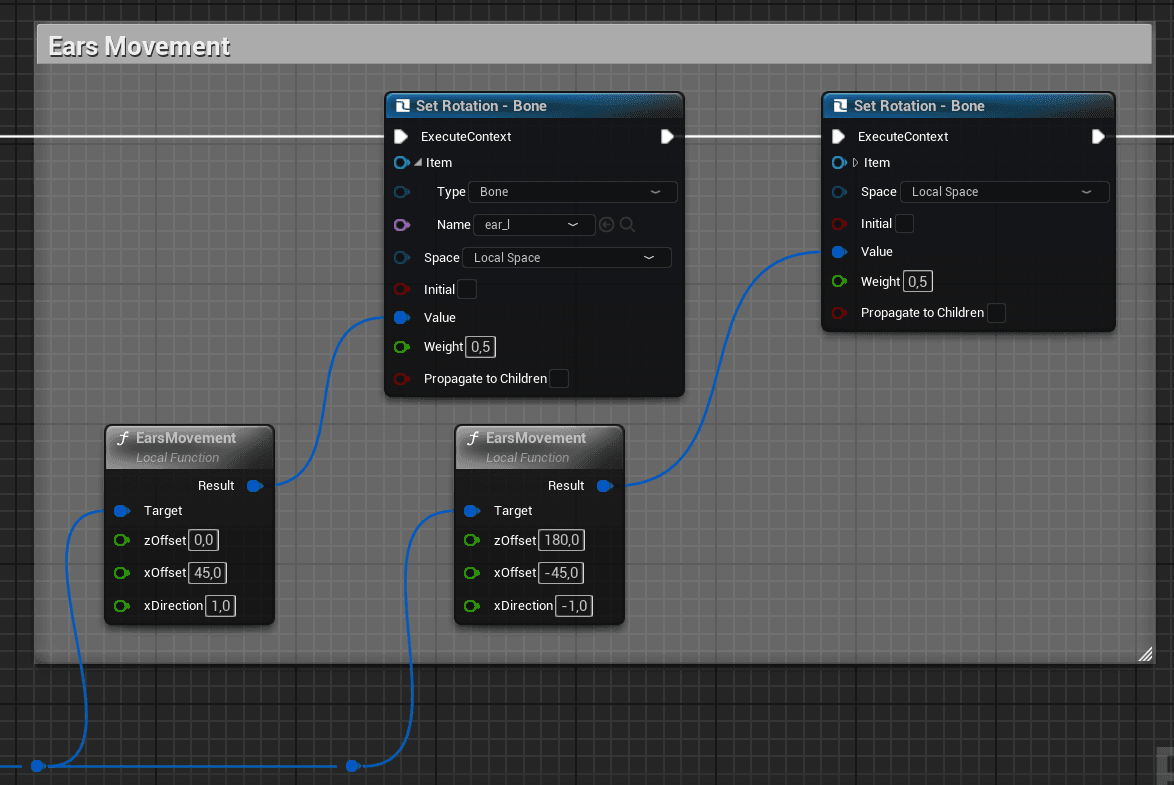
The ears recive the same input as the head but need appropiate offsets
to compensate the difference between the rotations
The ears recive the same input as the
head but need appropiate offsets
to compensate the difference between the rotations
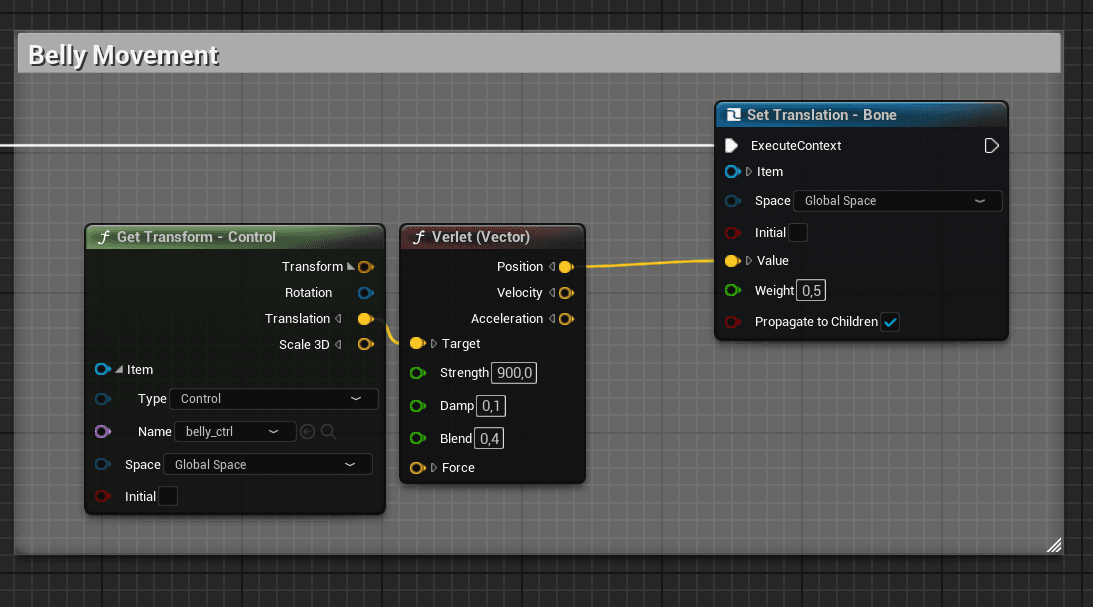
The belly uses a verlet controller, which does the same as the spring controller
but with location values
The belly uses a verlet controller,
which does the same as the spring controller
but with location values
2D Face Animations
2D Face Animations
2D Face Animations
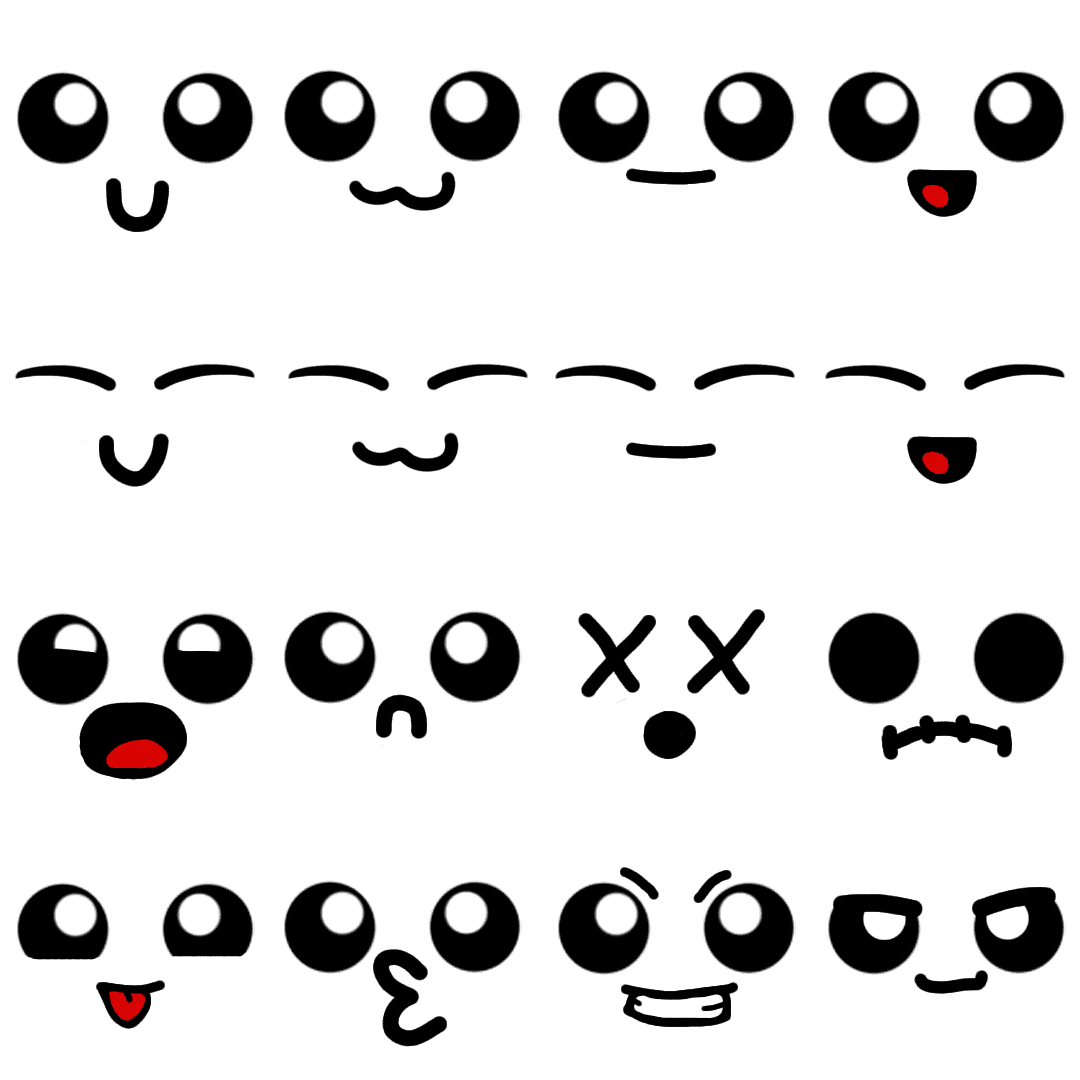
There are 4 sets of faces. Every mint changes it's face acording to a collumn
First Row: Default Face
Second Row: Blink/Closed eyes
Third Row: Getting Picked up
Forth Row: Mocking
There are 4 sets of faces.
Every mint changes it's face acording to a collumn
First Row: Default Face
Second Row: Blink/Closed eyes
Third Row: Getting Picked up
Forth Row: Mocking
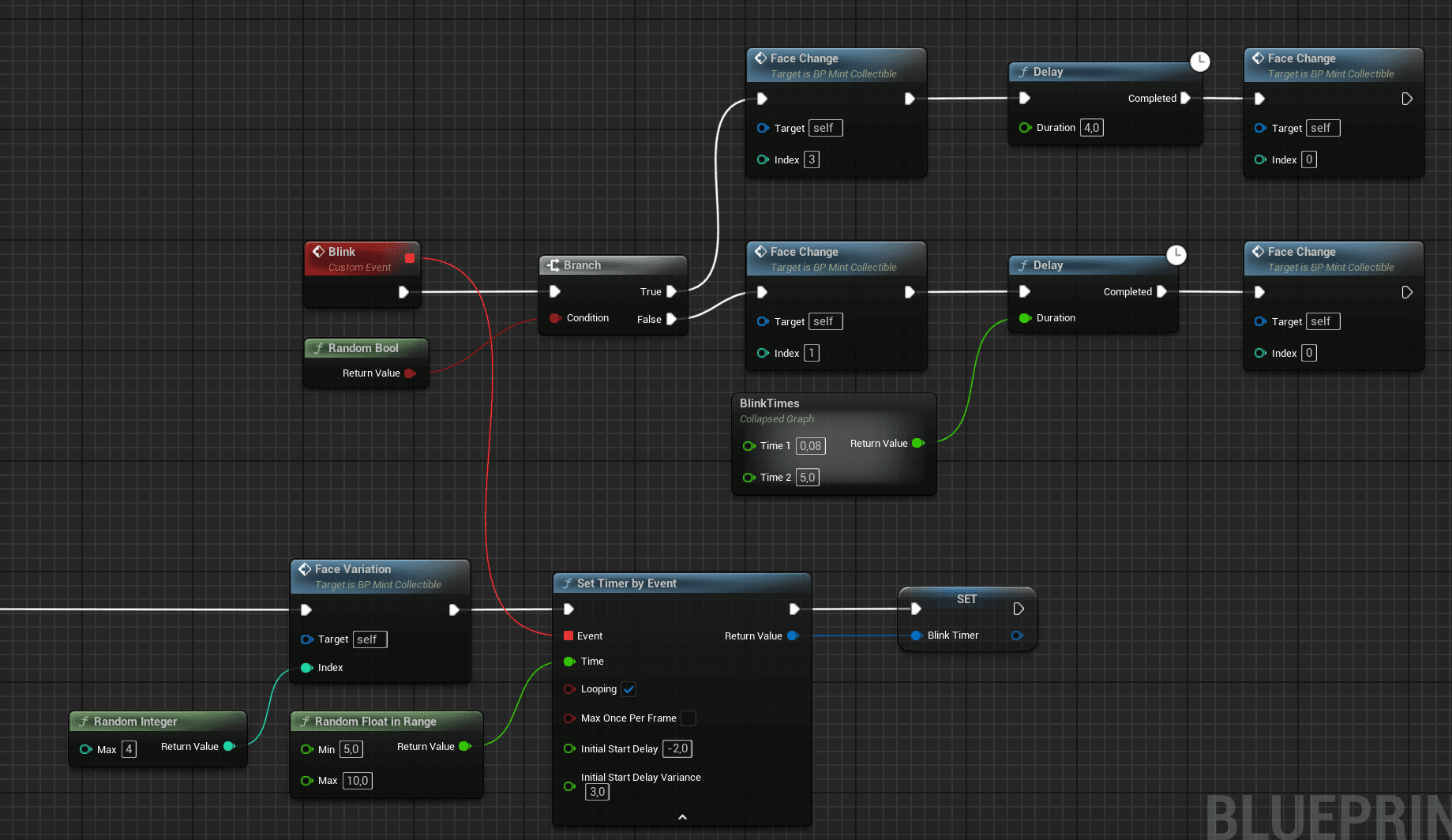
A set of faces is assigned randomly with the "Face variation" function
The Timer by Event fires every certain time an event that changes
the face for a blink, closing eyes or mocking face
A set of faces is assigned randomly
with the "Face variation" function
The Timer by Event fires every
certain time an event that changes
the face for a blink, closing eyes or mocking face
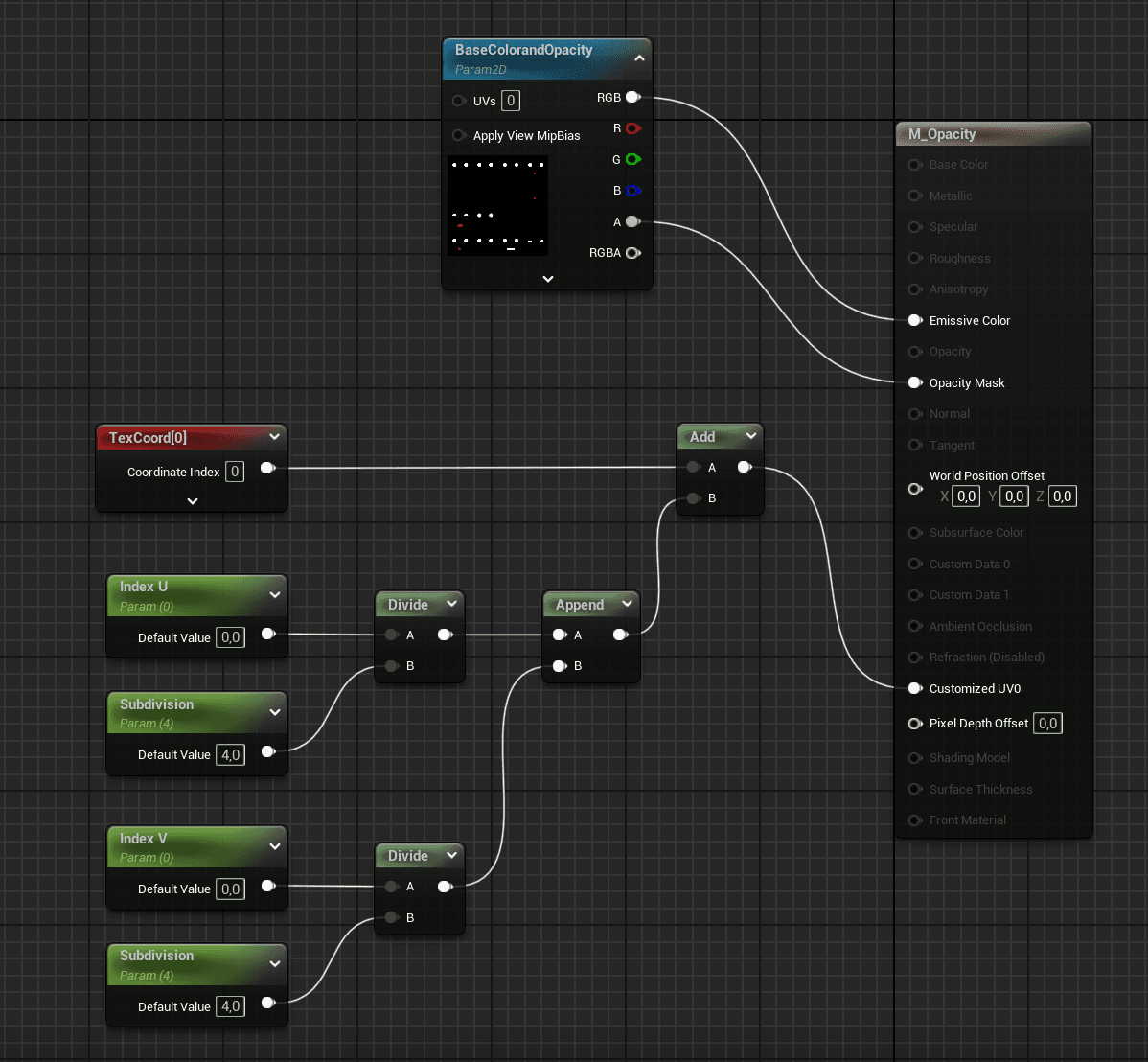
The Face variation and face change functions do basicaly the same.
An parameter, in the faces material, offsets the texture in the U or V
direction to show a different face
The Face variation and face
change functions do basicaly the same.
An parameter, in the faces material,
offsets the texture in the U or V
direction to show a different face
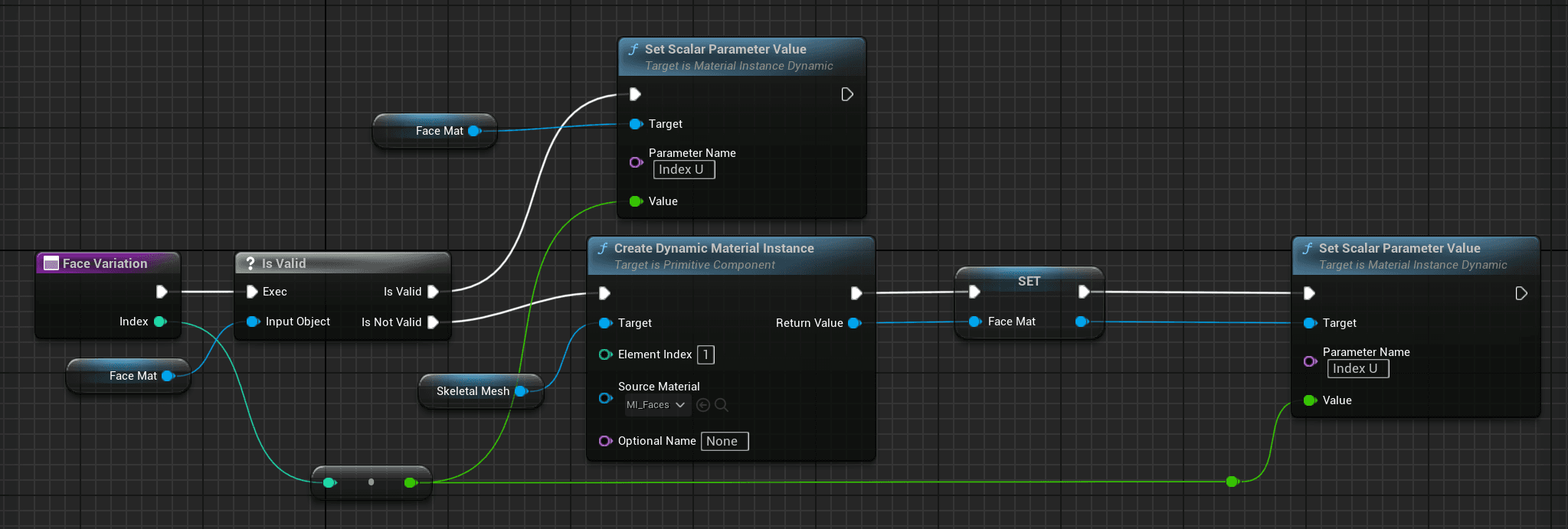
In the functions, a dynamic material is created to react in real time to the parameter
In the functions, a dynamic material is
created to react in real time to the parameter
Animation Template
Animation Template
Animation Template
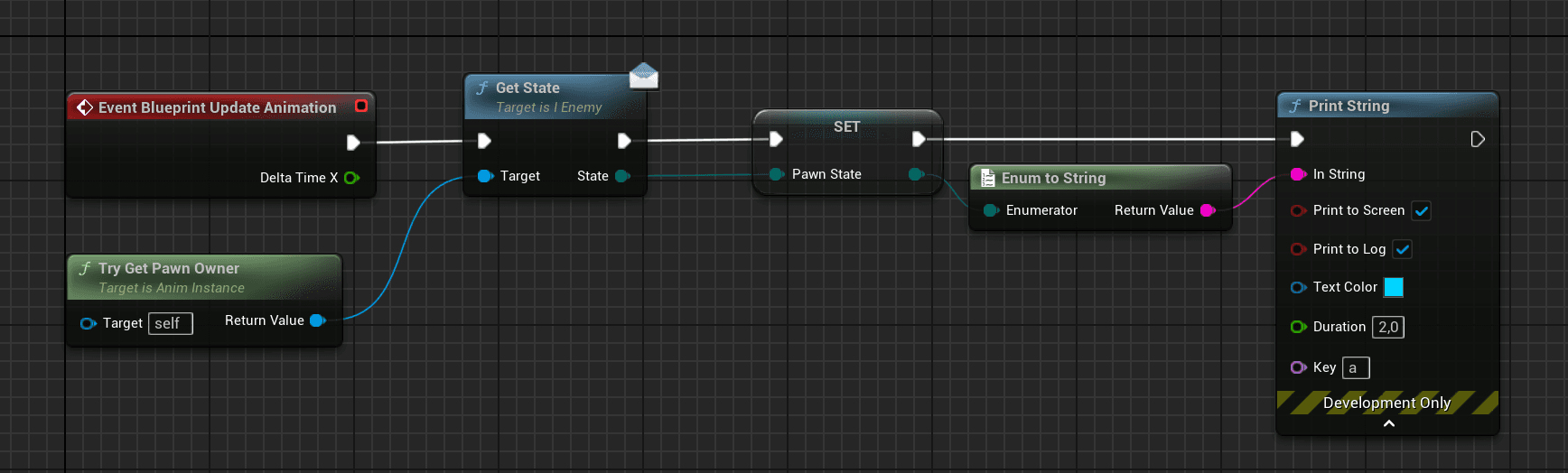
To manage similar enemies, an interface returns the current state, instead of casting to different
characters. This allows to use the same Aniamtion Blueprint.
To manage similar enemies, an interface returns
the current state, instead of casting to different
characters. This allows to use the
same Aniamtion Blueprint.
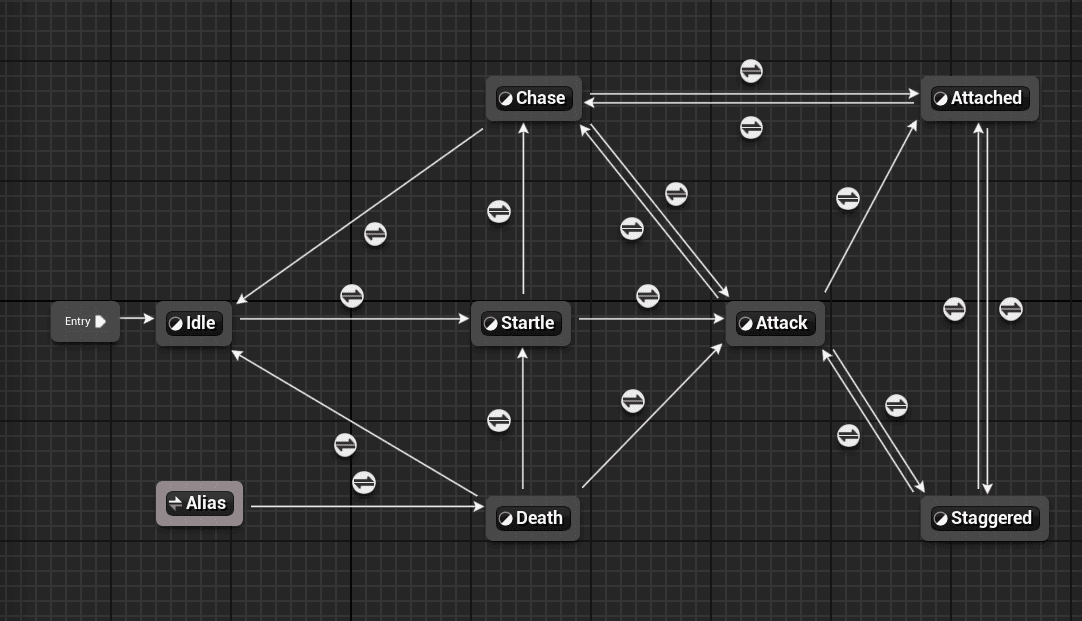
A state machine is set up for each state with a "secuence player" node inside
A state machine is set up for
each state with a "secuence player" node inside
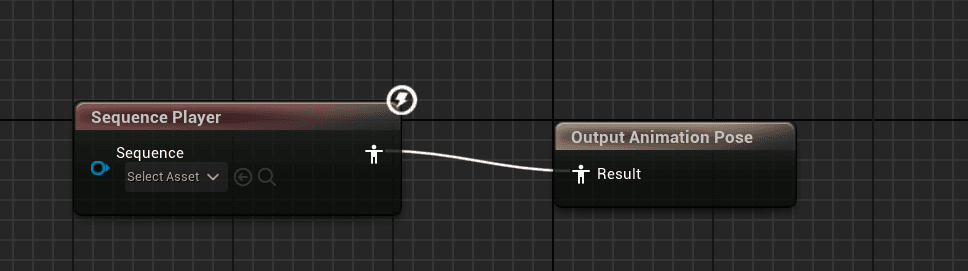
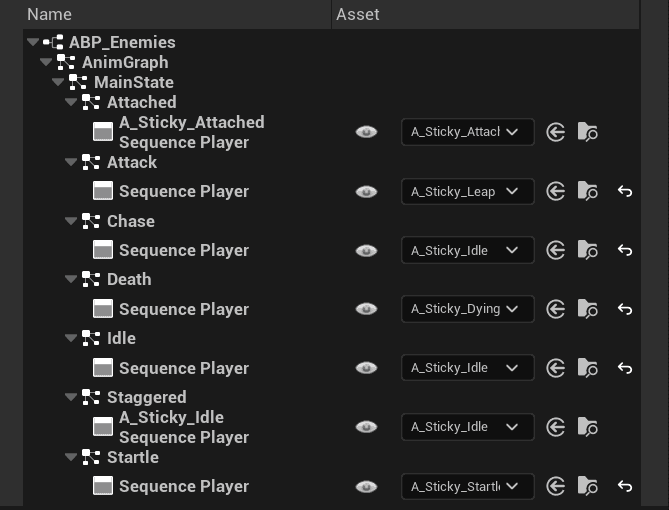
For every enemy, there's an Animation Blueprint Child, which calls the template
and allows to override each "Secuence Player"
For every enemy, there's an Animation
Blueprint Child, which calls the template
and allows to override each "Secuence Player"
Linked Animations
Linked Animations
Linked Animations
To reuse the animations of the mints with legs in the mints with no legs, the animations
are bypassed to another Animation Blueprint, where the legs are hidden
To reuse the animations of the mints with
legs in the mints with no legs, the animations
are bypassed to another Animation Blueprint,
where the legs are hidden
Thanks For Reading!
Thanks For Reading!